How I Used Google Sheets + Gemini AI to Find Relevant Jobs from 400+ Companies (Free Template Included)
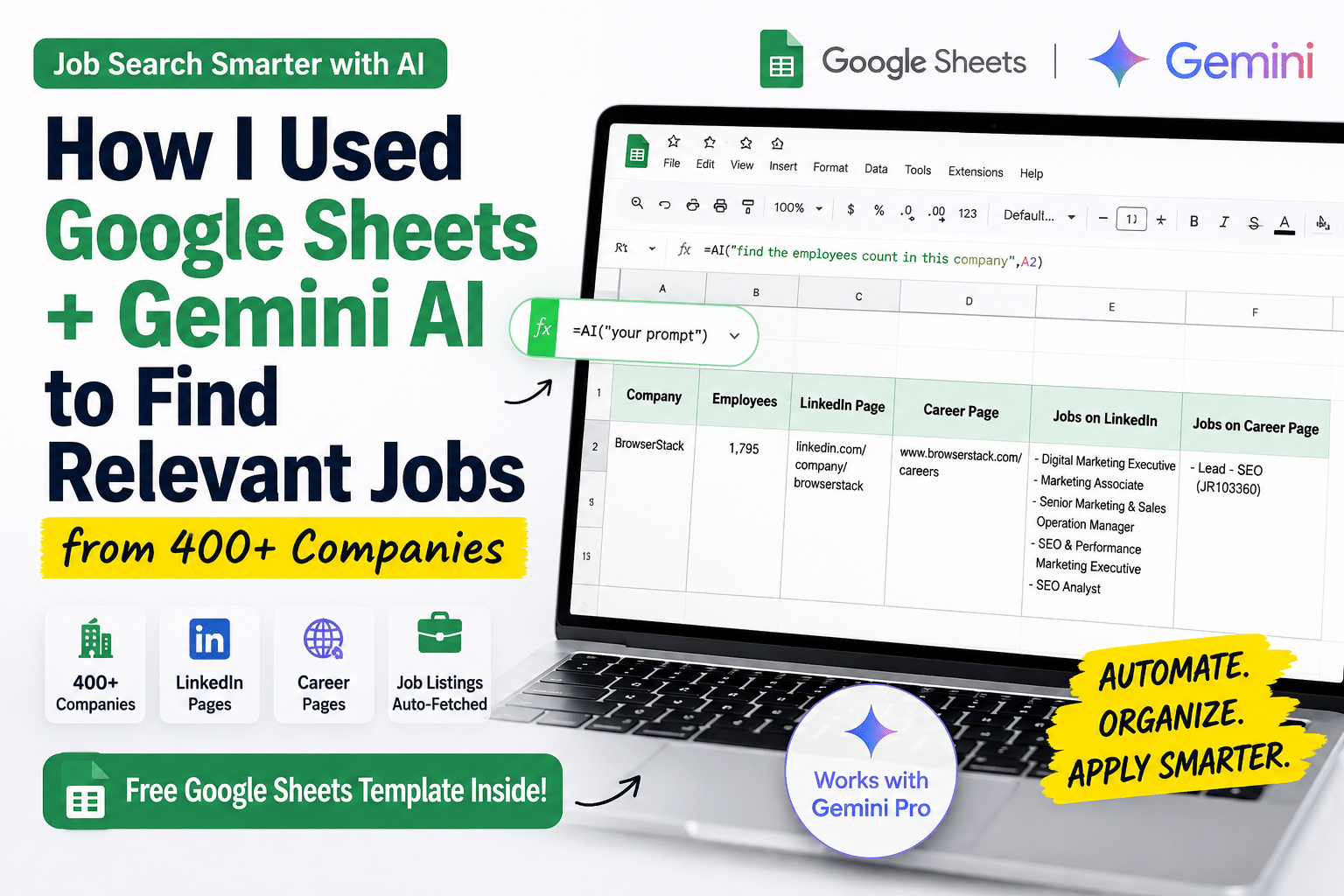
Download the Free AI Google Sheet Job Search template
After getting laid off, I did what most job seekers do.
- Applied on LinkedIn.
- Bought premium job tools.
- Tried AI job portals.
- Set up job alerts.
It worked… sometimes.
But after almost 3 months of job hunting, I realized I was spending more time searching for jobs than actually applying for them.
So I built a simple system using Google Sheets + Gemini AI that automated almost everything.
Today, my spreadsheet tracks 400+ companies hiring in India, finds their career pages, LinkedIn pages, and even discovers SEO and Digital Marketing jobs automatically.
The best part?
I’m sharing the template completely free.
What You’ll Need to build your own Google Sheet AI Job Search template?
Before you begin, make sure you have:
- A Google Account
- Google Sheets
- Gemini Pro (Google AI Pro)
Important: The `=AI()` formula is currently available only for users with Google AI Pro (Gemini Pro) through Google Workspace Labs or supported Google One AI plans. I personally have access through my Jio plan, which includes Gemini Pro.
If you don’t have Gemini Pro yet, the AI formulas won’t work.
Steps to build your own Google Sheet AI Job Search template
Step 1: Make a Copy of the Template
Click the template link below.
👉 Make a Copy of My Google Sheet Template
When the sheet opens:
File → Make a copy
Now you have your own editable version.
Step 2: Enter Company Names
Create a simple table like this.
Company
- BrowserStack
- Razorpay
- Zoho
- Freshworks
- Swiggy
Everything else will be generated automatically.
Step 3: Find Employee Count
Formula
=AI("find the employees count in this company",A2)Example
Company
BrowserStack
Output
1,795 Employees
Step 4: Find the LinkedIn Company Page
Formula
=AI("find the LinkedIn Page of this company",A2)Example output
https://www.linkedin.com/company/browserstack
Now you have the official LinkedIn company page automatically.
Step 5: Find the Careers Page
Formula
=AI("find the Career Page of this company",A2)Example
www.browserstack.com/careers
No more Googling every company manually.
Step 6: Find SEO & Digital Marketing Jobs from LinkedIn
Formula
=AI("find the jobs related to SEO, Digital Marketing on this LinkedIn Page",C2)Example output
- Digital Marketing Executive
- Marketing Associate
- SEO Executive
- SEO Analyst
- Performance Marketing Executive
Instead of browsing dozens of listings, Gemini summarizes the relevant openings for you.
Step 7: Find Jobs from the Company’s Careers Page
Formula
=AI("find the jobs related to SEO, Digital Marketing on this Career Page",D2)Example output
- Lead – SEO (JR103360)
This helps you discover openings that may not yet be promoted on LinkedIn.
My Final Spreadsheet Looks Like This
| Company | Employees | LinkedIn | Careers | LinkedIn Jobs | Career Jobs |
| BrowserStack | 1,795 | ✅ | ✅ | SEO & Marketing Jobs | Lead SEO |
Repeat this for hundreds of companies.
The sheet becomes your personalized job search database.
Why This Works Better Than Job Portals
Instead of searching one company at a time, you create your own AI-powered recruiting dashboard.
Benefits include:
- Search hundreds of companies in minutes
- Discover hidden openings
- Find jobs directly from company websites
- Organize every opportunity in one place
- Save hours every week
- Customize prompts for any role or industry
You can also modify the prompts to search for:
- Product Manager
- Software Engineer
- Data Scientist
- UX Designer
- Content Marketing
- Performance Marketing
- Sales
- HR
- Finance
The approach works for virtually any profession.
Bonus Ideas
Once you’re comfortable with AI formulas, you can extend the sheet to find:
- Remote jobs
- Company headquarters
- Hiring managers
- Recruiter LinkedIn profiles
- Funding stage
- Company size
- Technologies used
- Glassdoor ratings
- Recent funding news
- Careers email addresses
Google Sheets can become a surprisingly powerful AI research tool.
Download the Free Template
I’ve already created the structure and prompts for you.
Simply make a copy and start adding company names.
👉 Download the Google Sheets Template Here
Final Thoughts
Sometimes the best productivity tools aren’t expensive SaaS platforms.
They’re the ones we’ve had all along.
Google Sheets has been around for years, but adding Gemini AI transforms it into an incredibly powerful assistant for research, automation, and job hunting.
If you’re currently looking for a new opportunity, I hope this template saves you hours of manual work and helps you discover roles you might otherwise miss.
If you found this useful, connect with me on LinkedIn and share this article with someone who is job hunting.
Good luck, and happy job searching!

Vishal Gupta
SEO & Digital marketing Leader. Talks about how to turn data into actionable insights and SEO / AEO automations.